
Download Boost for Facebook – Facebook, browser extension, Firefox add-on, social media tool, online community, social networking, Facebook toolbar, status update, friend notifications, image viewing, ad blocking, app management, social interaction, user-friendly, productivity, utility, tool, online presence, social media management
Overview
Boost for Facebook is a Firefox add-on crafted to optimize and simplify interactions with one of the world’s most widely used social platforms. Designed specifically for users who rely on Facebook for personal and professional communication, the tool aims to reduce friction in daily social media use. By integrating directly into the Firefox browser, it enables users to manage their account without leaving their current browsing session, enhancing workflow efficiency and reducing time spent navigating between tabs.
The application serves individuals who value quick access to core Facebook functions—such as posting updates, viewing friend activity, and browsing media—without the overhead of loading the full website. It is particularly useful for those managing multiple online identities, maintaining professional networks, or simply seeking a faster, less cluttered experience. While the developer did not provide additional background details, the tool has been available since 2008, indicating a long-standing presence in the browser extension ecosystem.
Real-world use cases include remote professionals updating their status during work breaks, students coordinating group projects via instant notifications, and casual users who prefer streamlined access to their social feed. In the broader digital landscape, Boost for Facebook fills a niche for lightweight, focused tools that enhance usability without requiring full app integration. Its continued relevance underscores the demand for browser-based utilities that prioritize speed, simplicity, and user control.
Key Features & Functionality
- Toolbar Integration: A dedicated toolbar appears within the Firefox browser, offering one-click access to essential Facebook features. This eliminates the need to open a new tab or log in again, streamlining the user journey.
- Status Updates Made Easy: Users can compose and publish status updates directly from the toolbar, enabling real-time sharing of thoughts, events, or achievements without switching contexts.
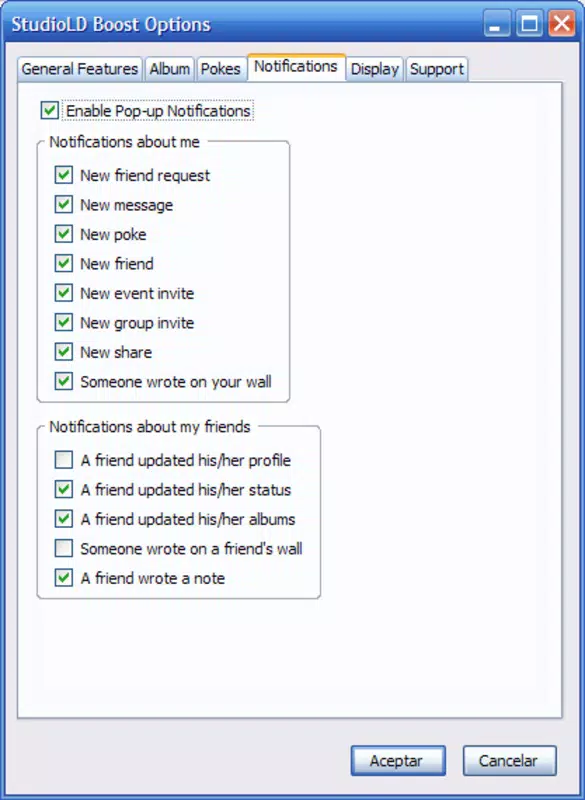
- Friend Notifications: A sidebar displays recent activity from friends, including status changes and new posts, ensuring users stay informed without constant manual refreshes.
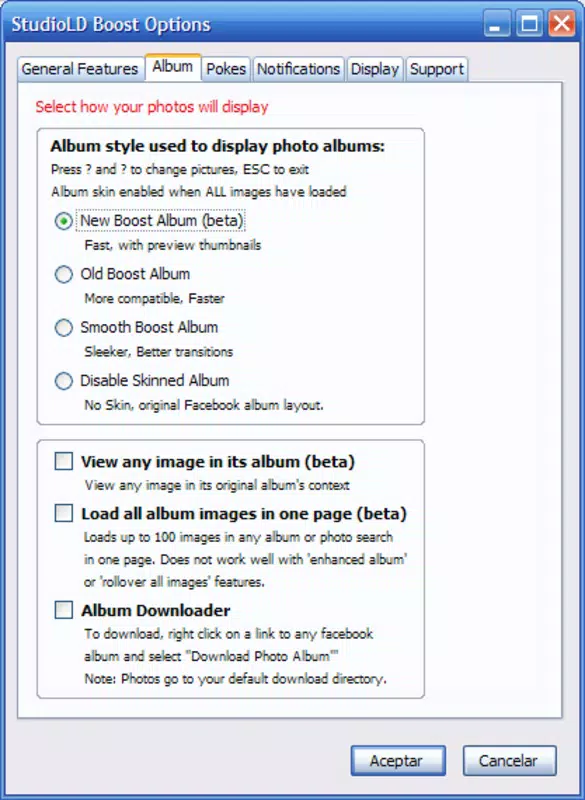
- Enhanced Image Viewing: Hovering over any image in the feed triggers a full-size preview, reducing the need for multiple clicks and improving visual engagement.
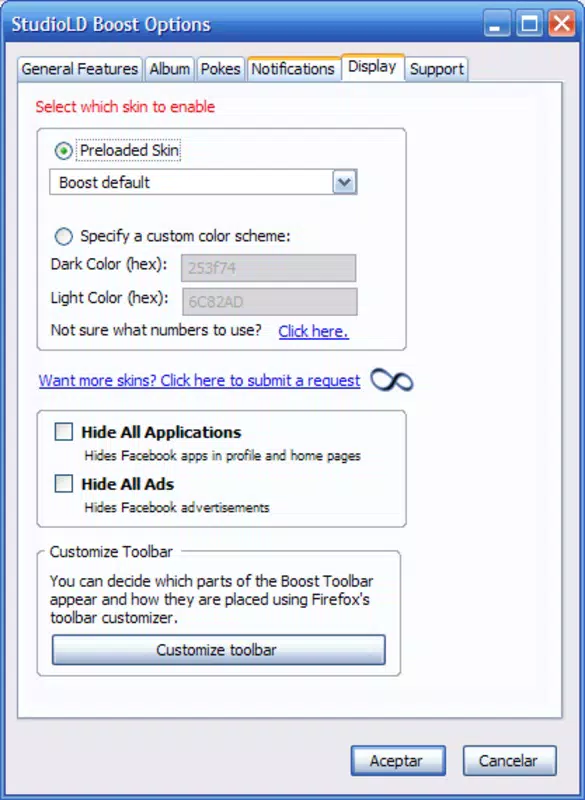
- Ad and App Management: The tool allows users to hide unwanted applications and advertisements, helping to declutter the feed and focus on content that matters.
These features are especially beneficial in scenarios where time efficiency is critical—such as during meetings, while multitasking, or when using low-bandwidth connections. For example, a user can quickly post an update about a completed task or view a friend’s photo without waiting for the full Facebook page to load. The integration with Firefox ensures that the tool remains lightweight and responsive, supporting a smooth user experience across different device types.
Interface, UX & Performance
The interface of Boost for Facebook is designed with minimalism and functionality in mind. The toolbar is unobtrusive yet clearly labeled, allowing users to identify key functions at a glance. Navigation is intuitive, relying on familiar browser patterns such as hover actions and click-based triggers. The sidebar for friend notifications is collapsible, preserving screen space while maintaining accessibility.
Visual style remains consistent with Firefox’s default theme, ensuring seamless integration without visual disruption. The tool does not introduce complex menus or layered workflows, which contributes to its ease of use, especially for less tech-savvy users. Although the developer did not list formal performance metrics, the lightweight nature of the add-on—2.0 MB in size—suggests it imposes minimal strain on system resources.
Performance across different device categories appears to be stable, given its long-standing compatibility with Firefox. Responsiveness is maintained through direct browser integration, avoiding the latency often associated with web-based tools. Stability is further supported by its consistent availability since 2008. However, specific requirements for optimal performance were not disclosed, and users on older Firefox versions may experience compatibility issues.
Platform Compatibility & Technical Requirements
Boost for Facebook is designed exclusively for the Firefox browser. It is compatible with all versions of Firefox that support add-ons, though specific minimum OS requirements were not listed. The file size is 2.0 MB, indicating a lightweight installation that does not significantly impact storage or memory usage.
The application is available as a free download, making it accessible to a broad audience. While the developer did not specify compatibility with mobile platforms, the tool is inherently designed for desktop use. This means it does not function on Android or iOS devices unless accessed through a Firefox browser on those platforms, though such functionality was not confirmed.
Given the lack of detailed technical specifications, users should ensure their Firefox browser is up to date to avoid potential issues. The absence of version-specific compatibility data means that users on outdated Firefox builds may encounter unexpected behavior.
Pros and Cons
Pros
- Lightweight design with minimal system impact (2.0 MB)
- Direct integration with Firefox for seamless access
- Efficient status updates without leaving the current tab
- Enhanced image viewing via hover previews
- Ad and app management to reduce feed clutter
- Free to download and use
Cons
- Exclusive to Firefox; not available on other browsers
- Compatibility with older Firefox versions is unclear
- No mobile app or mobile browser support confirmed
- Developer did not provide technical details or update frequency
- Limited to desktop environments
FAQ
Is Boost for Facebook safe to install?
Yes, the add-on is free and available through official Firefox channels. However, users should ensure they are downloading from verified sources to maintain security.
Can I use Boost for Facebook on mobile devices?
The tool is designed for desktop use within Firefox. While Firefox is available on Android and iOS, the add-on functionality may not be supported on mobile platforms.
Does Boost for Facebook require a Facebook account?
Yes, a valid Facebook account is required to use the full range of features, including posting updates and viewing friend activity.
How often is Boost for Facebook updated?
The developer did not disclose update frequency or release schedule. Users should monitor Firefox’s add-on repository for new versions.
Can I uninstall Boost for Facebook at any time?
Yes, the add-on can be easily removed through Firefox’s extension management settings without affecting the browser’s core functionality.
Final Thoughts
Boost for Facebook stands as a reliable, no-frills utility for users seeking faster, more efficient access to their social network. Its focus on core functions—status updates, friend notifications, and image viewing—makes it ideal for individuals who value productivity and simplicity. While its desktop-only scope and lack of mobile support limit its reach, its lightweight design and free availability make it a compelling choice for Firefox users.
For those who frequently interact with Facebook and want to minimize distractions and loading times, this tool delivers tangible benefits. It enhances workflow without demanding technical expertise, offering a practical solution for everyday social media management.
Download Boost for Facebook now


